Adobe Updates Experimental iOS Camera App Project Indigo with Generative AI
Adobe has expanded its experimental iOS camera application, Project Indigo, with a suite of generative artificial intelligence features designed to assist photographers during image capture. Led by Marc Levoy, the Nextcam Team integrated capabilities such as object removal, style transformations, and real-time photo critiques, signaling a shift away from the app's initial focus on natural, SLR-style mobile photography.
Key points
- Adobe, the multinational software company, is integrating generative artificial intelligence into its experimental iOS camera application known as Project Indigo.
- Marc Levoy, the head of Adobe's Nextcam Team and former developer of Google Pixel camera technology, leads the project.
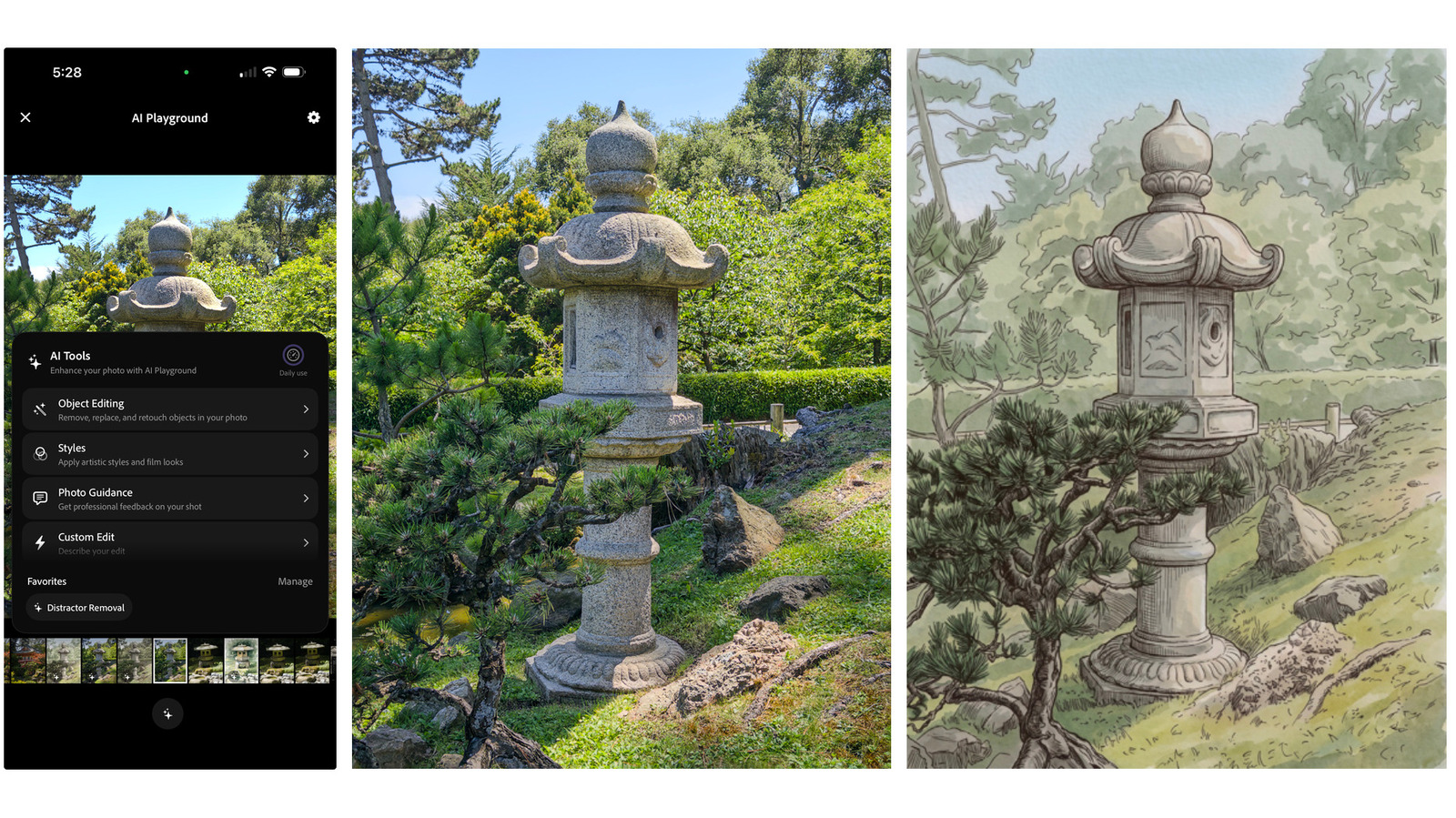
- The new update introduces an AI Playground feature divided into four sections: Object Editing, Styles, Photo Guidance, and Custom Edit.
- Specific tools include automated object removal for distractions like cars or signs, background depth-of-field adjustments, and artistic style conversions.
- The Photo Guidance feature utilizes large language models to provide real-time critiques and suggestions regarding framing, lighting, and exposure.
- Unlike prompt-heavy editors, the application primarily relies on preset buttons to generate deterministic outputs for mobile photographers.
Adobe has introduced a significant generative artificial intelligence update to Project Indigo, its experimental iOS camera application initially launched last year. Developed by the company's Nextcam Team and led by Marc Levoy—renowned for his previous work on Google Pixel camera software—the application is shifting away from its original focus on natural, single-lens reflex aesthetics toward AI-assisted mobile photography.
The newly introduced AI Playground feature introduces four distinct sections: Object Editing, Styles, Photo Guidance, and Custom Edit. The Object Editing tool allows users to eliminate distractions such as pedestrians, automobiles, and street signs, while simultaneously applying artificial background blurring to simulate shallow depth of field. Meanwhile, the Styles function converts standard snapshots into artistic interpretations, including pen-and-ink drawings and color-washed sketches.
Additionally, the Photo Guidance feature incorporates large language models to evaluate images at the point of capture. The system offers professional assessments regarding composition, lighting, color balance, and emotional resonance, alongside actionable recommendations for subsequent shots. To mitigate the trial-and-error process typically associated with text prompts, the development team prioritized deterministic button-based controls over open-ended text generation, giving users structured methods to refine their photography.
Sources
The WireByte editorial team synthesises technology news from multiple primary sources, verifies the facts, and links every source. Articles are produced with AI assistance and reviewed under our editorial policy.