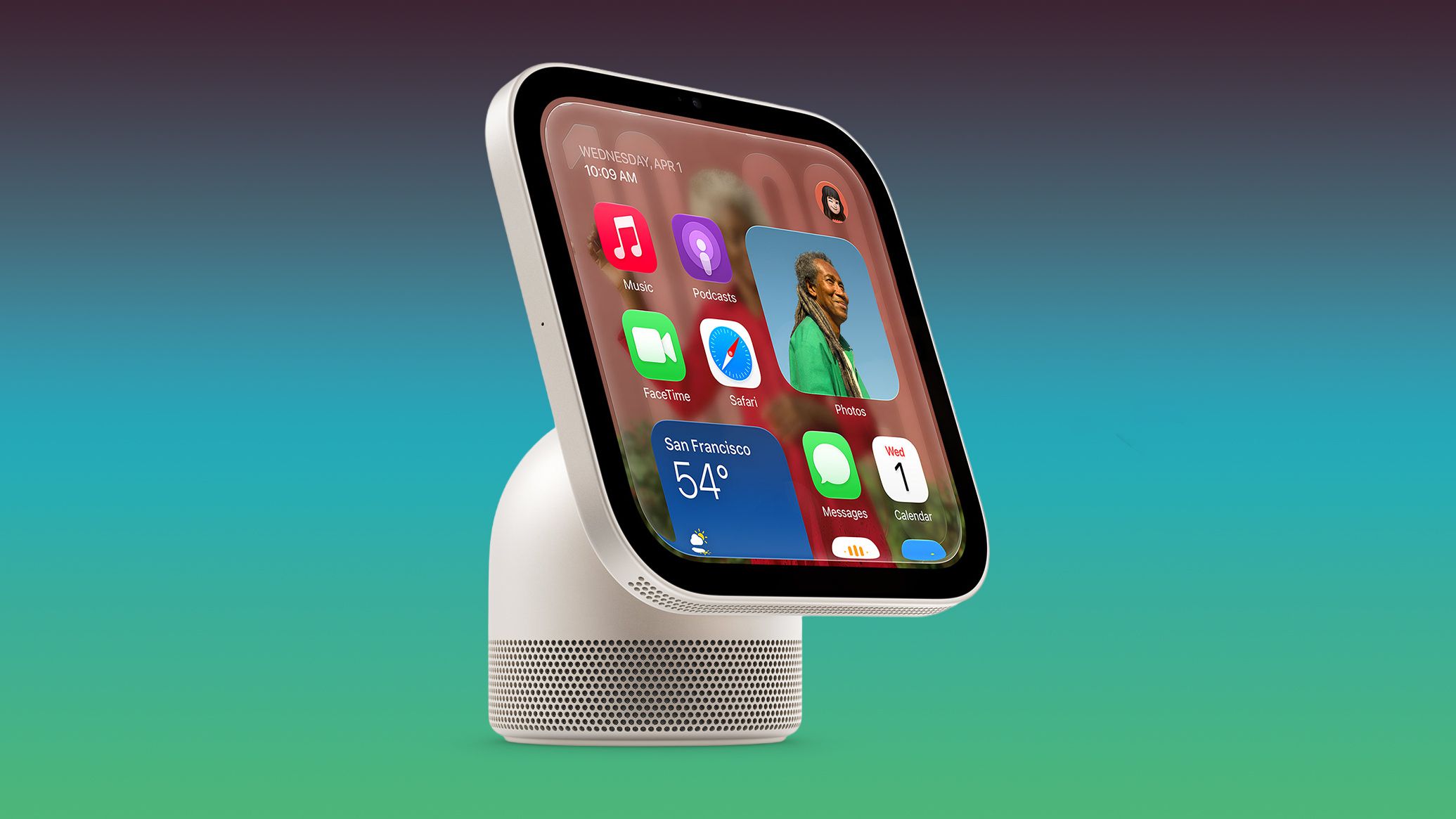
Code reveals Apple HomeView may function as HomeKit security camera
Discovered code in Apple’s HomeView software suggests the smart hub can double as a HomeKit Secure Video camera. The feature includes streaming, recording, and motion detection modes with strict privacy safeguards. While Apple has not officially confirmed the capability, the findings indicate significant integration between the display and Apple’s existing security ecosystem.
Key points
- Code sleuth pdfu discovered settings in HomeView software version 27.2 that enable the device to function as a HomeKit Secure Video camera.
- The software supports four distinct modes: Off, Detect Activity, Stream, and Stream & Allow Recording, with scheduling options for when users are home, away, or asleep.
- Specific configuration strings indicate support for 1080p/30fps video resolution and microphone input for HomeKit Secure Video sessions.
- Privacy protections include a green indicator light, audio alerts, and notifications to home members, with remote activation disabled when people are present.
- Only verified home members can view streams or recordings, and the camera may take photos to refresh previews when the Home app is open on a member's device.
Potential Camera Capabilities Uncovered
Recent analysis of Apple’s HomeView software has revealed evidence that the upcoming smart home hub may serve a dual purpose as a security camera. Code sleuth pdfu identified multiple settings strings within HomeView software version 27.2 that detail functionality for streaming and recording video. These findings suggest that Apple is preparing to integrate the HomeView’s built-in camera into its HomeKit Secure Video ecosystem, a move that would significantly expand the device's utility beyond its current role as a smart display.
Four Distinct Operating Modes
The discovered code outlines four specific camera modes available to users. The first is an Off mode, which ensures the HomeView does not detect motion, stream video, or record any footage. The second, Detect Activity, allows the device to sense motion without streaming or recording, meaning home members cannot view real-time video feeds. The third mode, Stream, permits home members to watch real-time video but prohibits any recording functionality. The fourth and most comprehensive mode, Stream & Allow Recording, enables both real-time streaming and the storage of video footage for later review.
Scheduling and Technical Specifications
Users will have granular control over when these features activate. The software includes scheduling options that allow the camera to operate based on the user's presence, specifically when they are home, away, or asleep. Technical strings indicate that the software is configured to select specific parameters for HomeKit Secure Video sessions, including 1080p resolution at 30 frames per second and microphone input for audio capture. This suggests a standardized approach to video quality and audio recording within Apple’s security framework.
Strict Privacy Safeguards
Consistent with Apple’s emphasis on user privacy, the code reveals robust protections for the camera feature. A green indicator light will appear on the display, accompanied by an audio cue, whenever streaming or recording begins. Home members will also receive notifications when camera settings are changed. A critical privacy constraint identified in the code states that the security camera feature cannot be remotely activated if any home members are present; activation is restricted to the HomeView device itself in such scenarios. This design appears intended to prevent unauthorized surveillance within the household.
Integration with the Home App
The findings also highlight deeper integration with the Home app. Strings suggest that when the Home app is open on a member's device, the HomeView may automatically take photos to refresh its camera preview. These actions will also trigger the green indicator light. Additionally, the code indicates that only home members will have access to view streams and recordings. It is expected that features such as face recognition and activity zones will be configured through the Home app on iPhone, allowing for personalized security zones within the home.
Market Implications and Next Steps
Apple has not officially announced a camera feature for the HomeView, and the presence of code strings does not constitute a formal product confirmation. However, the detailed nature of the settings suggests that this functionality is well into the development process. If implemented, this feature would position the HomeView as a central hub for both smart home management and security, potentially reducing the need for separate dedicated security cameras in many households. Analysts will be watching for official confirmation as Apple approaches the device's launch.
Key takeaways
- Code in HomeView software 27.2 indicates the device can act as a HomeKit Secure Video camera.
- Four modes are available: Off, Detect Activity, Stream, and Stream & Allow Recording.
- Video supports 1080p/30fps resolution with microphone input for audio capture.
- Privacy features include visual and audio alerts, with remote activation blocked when people are home.
- Only home members can access streams, and the device may take preview photos when the Home app is active.
Sources
The WireByte editorial team synthesises technology news from multiple primary sources, verifies the facts, and links every source. Articles are produced with AI assistance and reviewed under our editorial policy.