Samsung Blocks Auto Blocker Changes During Calls in One UI 9.5
Samsung’s One UI 9.5 update for the Galaxy S26 series introduces a security measure that prevents users from toggling the Auto Blocker feature during active phone calls. This change aims to thwart scammers who attempt to trick victims into disabling security protections while on the line. The restriction applies to all Auto Blocker settings, enhancing device safety against social engineering attacks.
Key points
- Samsung, the South Korean electronics giant, has integrated a new anti-scam feature into its One UI 9.5 operating system for the Galaxy S26 series.
- The update prevents users from turning the Auto Blocker on or off, or modifying its restriction levels, while an active phone call is in progress.
- Attempting to change these settings during a call triggers an error message, ensuring that security protocols remain active and cannot be altered mid-conversation.
- This measure targets social engineering tactics where scammers persuade victims to disable security features to install malicious applications or gain device control.
- The Galaxy S26 beta release confirms the feature is live, marking a significant step in Samsung's strategy to combat mobile fraud and unauthorized app installations.
Enhanced Security Against Social Engineering
Samsung has introduced a critical security enhancement in its latest software update, One UI 9.5, designed to protect users from sophisticated scam tactics. The update, currently available in beta for the Galaxy S26 series, implements a hard restriction on the Auto Blocker feature during active phone calls. This development addresses a growing trend where fraudsters manipulate victims into disabling device protections while on the line, a common vector for installing malware or gaining unauthorized access to personal data.
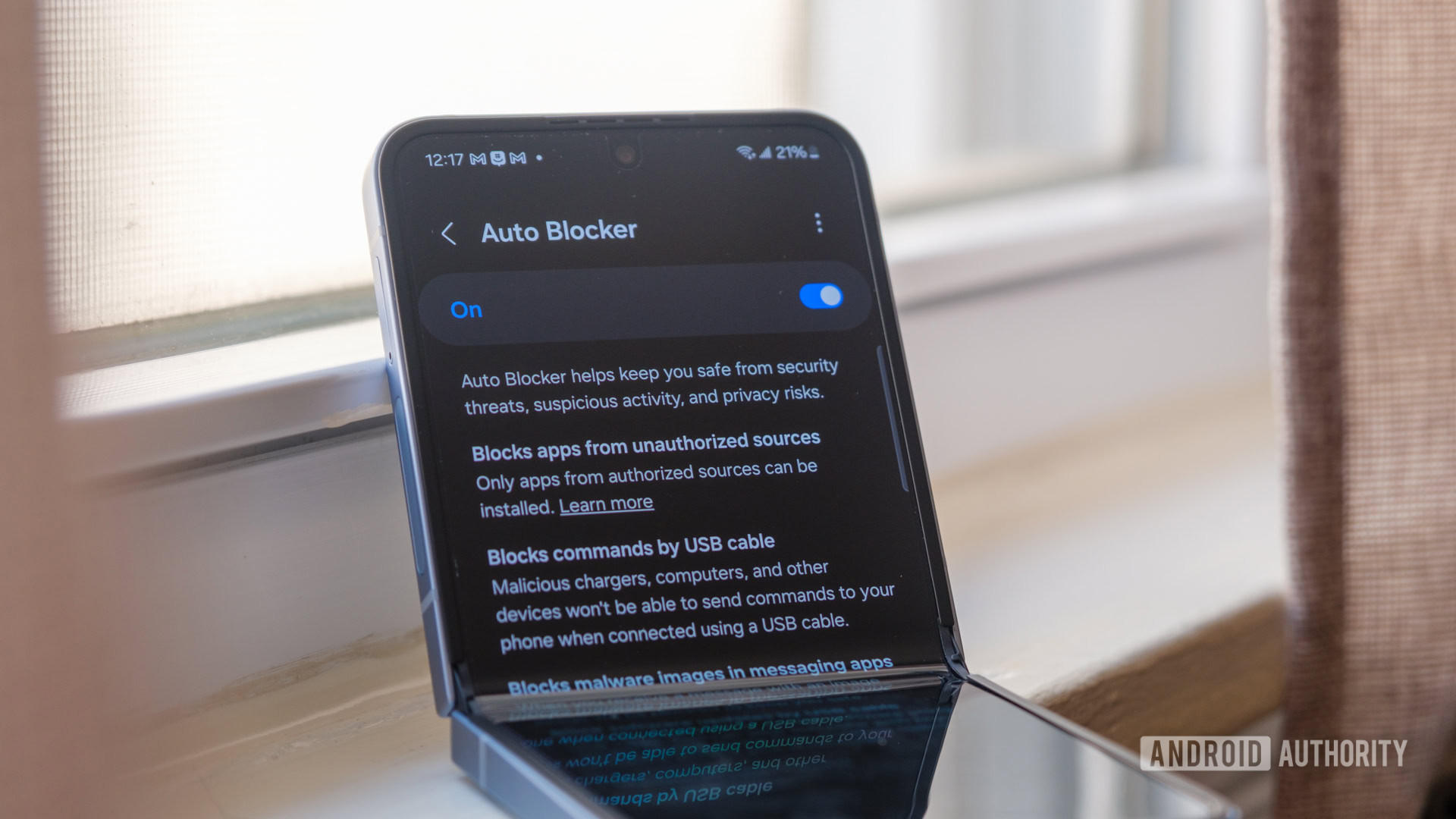
The Auto Blocker, a staple of Samsung’s security suite, serves as a robust defense mechanism against various digital threats. It actively warns users before the installation of sideloaded APK files and blocks the execution of malicious code delivered via USB connections or messaging applications. By preventing the installation of unauthorized apps, the feature significantly reduces the risk of devices being compromised by harmful software. However, the effectiveness of this shield has historically been undermined by social engineering, where scammers talk users through the process of turning off these safeguards.
The One UI 9.5 Implementation
With the rollout of One UI 9.5, Samsung has closed this vulnerability by making Auto Blocker settings immutable during voice communications. Users attempting to navigate to the security settings menu while on a call will encounter an immediate error message stating that the setting cannot be changed. This restriction applies comprehensively to all Auto Blocker configurations, including the ability to toggle the feature on or off and adjust the maximum restriction levels. The system ensures that once a call is initiated, the device’s security posture remains locked, preventing any mid-conversation alterations that could be coerced by a caller.
This technical safeguard is a direct response to the evolving tactics of cybercriminals. Scammers often exploit the trust established during phone calls to guide victims through complex steps that disable security features. By making it technically impossible to alter these settings during the call, Samsung removes the ability of fraudsters to execute this part of their attack chain. The error message serves as both a technical block and a visual reminder to the user that security protocols are active and cannot be bypassed at that moment.
Impact on User Experience and Safety
While the restriction adds a layer of security, it also changes the user interaction model for Samsung devices. Users will no longer be able to quickly adjust security settings if they believe a call is legitimate and they need to install an app or change a configuration. However, the update allows for settings changes once the call has ended, ensuring that user control is not permanently lost, only temporarily suspended during active communications. This balance aims to maximize protection without rendering the device unusable for legitimate tasks.
The feature is currently live in the first beta version of One UI 9.5 for the Galaxy S26 series. As the beta progresses, Samsung may refine the implementation based on user feedback and further security analysis. The move underscores Samsung’s commitment to proactive security measures that anticipate and neutralize emerging threats before they can impact the broader user base. By integrating these protections directly into the operating system, Samsung ensures that all users, regardless of their technical expertise, benefit from enhanced defense mechanisms against mobile fraud.
Key takeaways
- Samsung’s One UI 9.5 update locks Auto Blocker settings during active phone calls to prevent scammer interference.
- The Galaxy S26 beta confirms the feature is active, blocking any changes to security restrictions while on the line.
- This measure directly counters social engineering tactics where victims are tricked into disabling protections.
- Auto Blocker continues to provide essential defenses against sideloaded apps and malicious USB connections.
- Users can still modify settings after the call ends, ensuring full control is retained outside of active communications.
Sources
The WireByte editorial team synthesises technology news from multiple primary sources, verifies the facts, and links every source. Articles are produced with AI assistance and reviewed under our editorial policy.