Android Storage Management: Freeing 36GB Without Deleting Photos
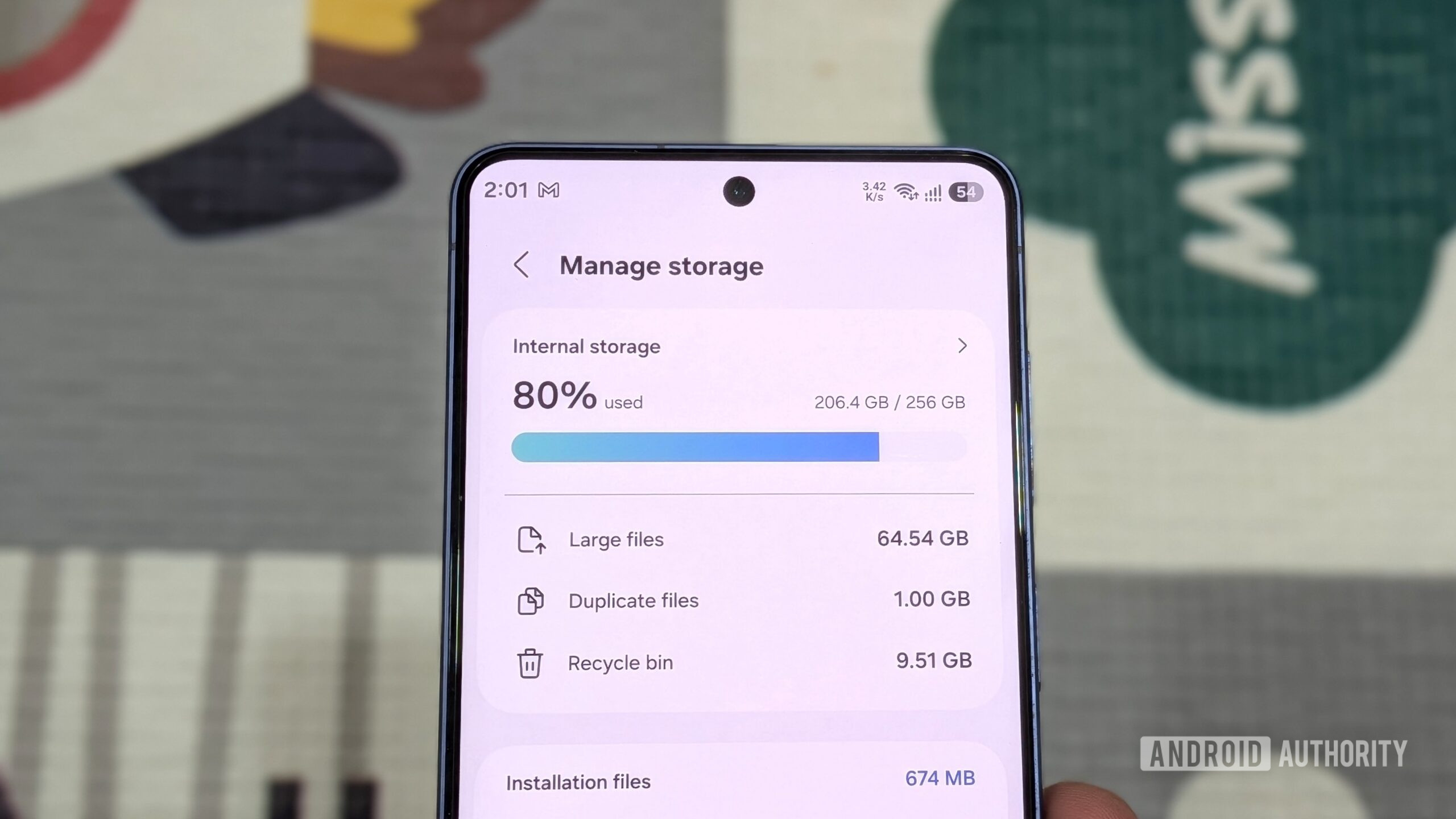
A user on a Samsung Galaxy S26 with 256GB storage freed 36GB by clearing caches, unused apps, and offline files. Archiving apps provided additional space without full deletion. This highlights growing storage constraints in modern smartphones lacking SD card slots, prompting users to seek efficient management techniques.
Key points
- A Samsung Galaxy S26 user with 256GB internal storage successfully freed 36GB of space.
- The method involved removing unused apps, clearing bloated caches, and deleting offline downloads.
- Archiving apps was used to retain access while freeing core files and temporary data.
- Approximately 4GB was recovered solely by deleting unused applications and games.
- The process addressed storage struggles caused by high-resolution camera usage and lack of SD expansion.
The Storage Dilemma in Modern Smartphones
Modern smartphone manufacturers are increasingly moving away from expandable storage options, forcing users to rely solely on internal memory. This trend has created significant challenges for power users who rely on high-resolution cameras and large application libraries. A recent case study involving a Samsung Galaxy S26 with 256GB of internal storage illustrates the practical difficulties of managing limited space without sacrificing valuable media files. The device lacks an SD card slot, making internal storage management a critical daily task for the owner.
Strategic App Management
The primary strategy employed to free up space involved a comprehensive audit of installed applications. The user identified approximately a dozen apps that were no longer actively used. These included video editing software that had been utilized only twice, several games that had been abandoned, and multiple browsers installed solely for testing purposes. While the process of deleting these apps one by one was time-consuming, it resulted in the recovery of nearly 4GB of storage. This highlights how quickly unused applications can accumulate and consume significant resources over time.
The Role of App Archiving
For applications that were not deleted but also not used daily, the user opted for an archiving feature. Archiving serves as a middle ground between full deletion and retention. This process removes the core application files and temporary data, thereby freeing up storage space, while keeping the app accessible for future use. This method proved to be a quick and effective way to reclaim space without the permanent loss of application data or the need to re-download the software later. It demonstrates a nuanced approach to storage management that balances convenience with efficiency.
Beyond Applications: Cache and Downloads
The storage cleanup extended beyond just applications. The user systematically addressed bloated caches, which can accumulate over time as apps store temporary data for faster loading. Additionally, offline downloads were reviewed and removed. These files, often consisting of maps, music, or documents saved for offline access, can take up substantial space if left unchecked. By clearing these elements, the user was able to further reduce the storage footprint without impacting the integrity of their photo library.
The Impact of High-Resolution Media
A significant factor contributing to the storage pressure was the high-quality camera on the Galaxy S26. The user noted that the camera's capability encouraged frequent use, leading to a rapid accumulation of large photo and video files. The decision to preserve these precious photos while freeing up space underscores the importance of non-destructive storage management techniques. The ability to recover 36GB without deleting a single photo is a testament to the effectiveness of the chosen methods.
Practical Implications for Users
This experience offers a practical blueprint for Android users facing similar storage constraints. The process was described as less tedious than anticipated, suggesting that regular maintenance can prevent storage crises. The combination of deleting unused apps, archiving infrequently used ones, and clearing caches and downloads provides a multi-faceted approach to storage optimization. For users with devices that lack expandable storage, such regular audits become essential to maintaining device performance and usability.
Future Considerations
As smartphone cameras continue to improve and applications become more resource-intensive, the demand for internal storage is likely to increase. The case of the Galaxy S26 user highlights the need for efficient storage management tools and user awareness. Manufacturers may need to consider providing better built-in tools for storage analysis and cleanup to assist users in navigating these constraints. Until then, user-led initiatives like the one described will remain a vital part of the smartphone ownership experience.
Key takeaways
- A Samsung Galaxy S26 user freed 36GB of storage without deleting any photos.
- Deleting unused apps recovered approximately 4GB of space.
- Archiving apps removes core files while keeping them accessible.
- Clearing caches and offline downloads contributed significantly to space recovery.
- The lack of SD card slots makes internal storage management critical.
- Regular maintenance is less tedious than anticipated and highly effective.
Sources
The WireByte editorial team synthesises technology news from multiple primary sources, verifies the facts, and links every source. Articles are produced with AI assistance and reviewed under our editorial policy.