Guide Identifies Signs of Damaged USB-C Ports and Fix Steps
A recent guide highlights how to diagnose faulty USB-C ports, which can disrupt power and data transfer. Users are advised to inspect for bent pins, debris, or discoloration. While physical damage is a primary concern, software issues and faulty cables can mimic symptoms, necessitating careful troubleshooting to restore device functionality.
Key points
- The USB-C standard is widely used for both data and power delivery, making port integrity critical for device operation.
- Physical signs of damage include bent or broken pins, discoloration, and inconsistent charging or data transfer speeds.
- Debris accumulation is a common cause of connection issues and can often be resolved by safely cleaning the port.
- Software glitches and faulty cables can produce symptoms identical to physical port damage, complicating diagnosis.
- Experts recommend shutting down and unplugging devices before attempting any inspection or cleaning to prevent electrical hazards.
The Critical Role of USB-C Connectivity
The Universal Serial Type-C, commonly known as USB-C, has become the ubiquitous standard for connecting and charging modern electronic devices. Unlike its predecessors, which often featured fragile, exposed pins and bulky connectors, USB-C was designed with a reversible plug and robust construction. However, despite these improvements, the port remains a vital lifeline for smartphones, laptops, and peripherals that rely on it for both high-speed data transfer and significant power delivery. When this connection fails, the consequences can be severe, leaving devices unable to charge or communicate with accessories, effectively rendering them useless until the issue is resolved.
Identifying Physical Signs of Damage
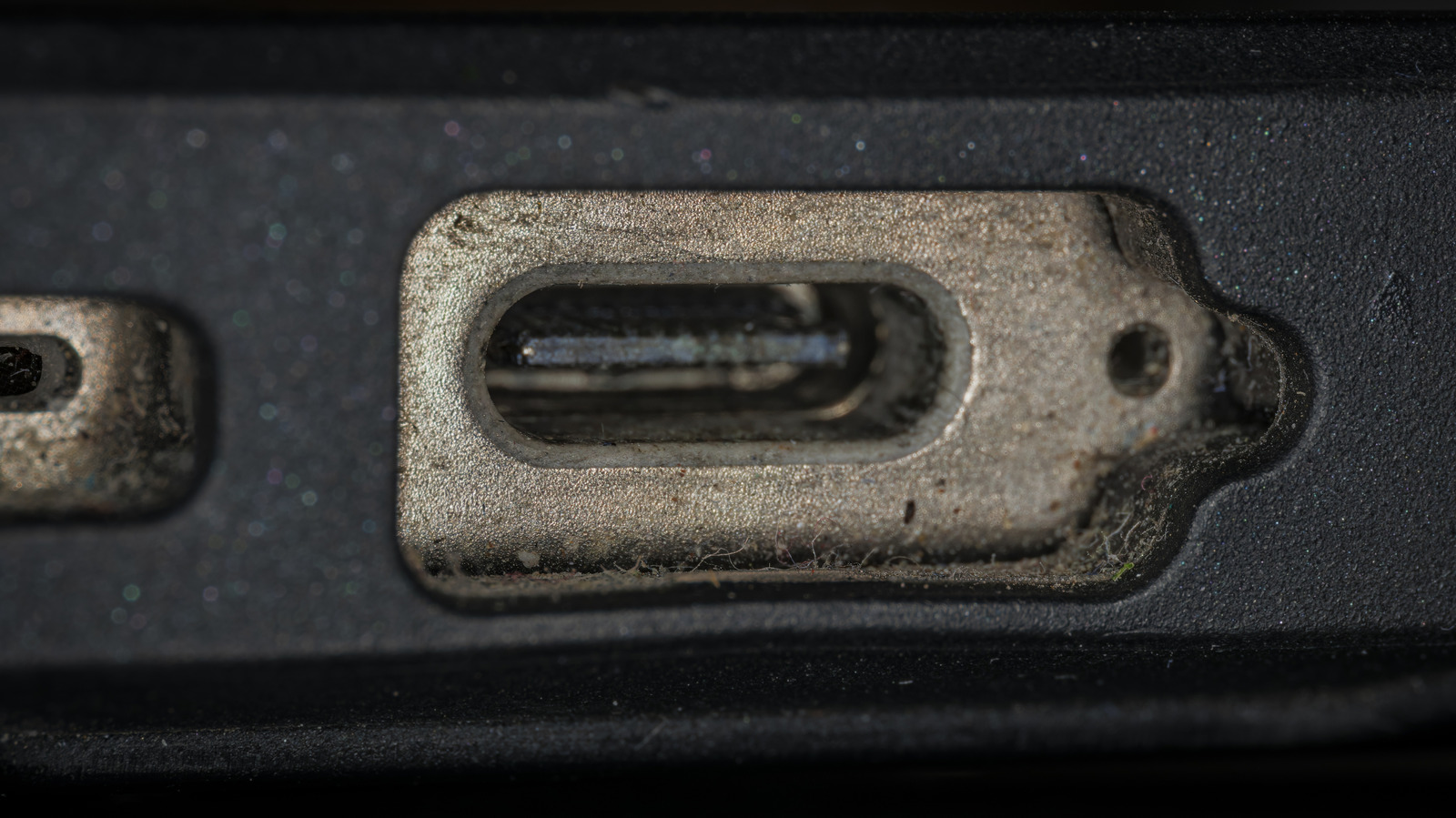
Diagnosing a faulty USB-C port begins with a visual inspection. Users are advised to use a flashlight to examine the interior of the port for any obvious physical defects. The most common indicators of damage include bent, broken, or missing pins within the connector housing. Additionally, discoloration or burn marks inside the port can signal electrical issues or overheating. If the port appears structurally sound, users should check for debris such as lint or dust that may be obstructing the connection. These physical obstructions are frequent culprits behind intermittent connectivity issues and can often be cleared without professional intervention.
Distinguishing Between Hardware and Software Issues
While physical damage is a primary concern, it is not the only cause of USB-C malfunction. Software glitches, outdated drivers, or corrupted system files can mimic the symptoms of a broken port, leading to confusion during troubleshooting. Furthermore, the issue may not lie with the port itself but rather with the charging cable or the power adapter. Faulty cables can cause inconsistent charging and data transfer, making it difficult to determine the root cause. Users are encouraged to test the device with different cables and power sources to rule out external factors before concluding that the port is damaged.
Safe Troubleshooting Procedures
To safely inspect or clean a USB-C port, users must first ensure the device is completely powered off and unplugged from any power source. This step is crucial to prevent electrical shorts or damage to the device's internal components. Once the device is safe to handle, users can gently remove any visible debris using non-conductive tools such as a wooden toothpick or a soft brush. It is important to avoid using metal objects or excessive force, which could further damage the delicate pins. If the port appears physically damaged, attempting to repair it without professional assistance is not recommended.
The Impact of Port Failure on Device Usability
A damaged USB-C port can have a significant impact on the usability of a device, particularly for smartphones that lack wireless charging capabilities. Without a functional port, users cannot charge their devices or transfer data, leading to a rapid depletion of battery life and an inability to access important files. In the case of laptops, a faulty port can disrupt the connection to external monitors, keyboards, and storage devices, hindering productivity. The reliance on USB-C for both power and data makes it a single point of failure that can disrupt daily digital life.
Looking Ahead: Durability and Design Improvements
As USB-C continues to dominate the market, manufacturers are focusing on improving the durability of ports to reduce the frequency of failures. This includes reinforcing the port housing, using higher-quality materials for the pins, and implementing better dust and debris resistance. Additionally, the widespread adoption of wireless charging and data transfer technologies offers a potential alternative for users who experience persistent port issues. However, until these technologies become universally reliable and fast, the USB-C port remains an essential component that requires careful maintenance and protection.
Key takeaways
- USB-C ports are essential for power and data, making their functionality critical for device operation.
- Visual inspection for bent pins, debris, and discoloration is the first step in diagnosing port issues.
- Software glitches and faulty cables can cause symptoms similar to physical port damage.
- Always power off and unplug devices before attempting to clean or inspect the port.
- Debris removal is a common fix, but physical damage may require professional repair.
- Manufacturers are working on more durable port designs to reduce future failures.
Sources
The WireByte editorial team synthesises technology news from multiple primary sources, verifies the facts, and links every source. Articles are produced with AI assistance and reviewed under our editorial policy.